Android vs Windows Kiosks: Total Cost of Ownership Compared
By MHY Engineering Team · Updated · 10 min read
Every kiosk RFP eventually lands on the same question: Android or Windows? Comparing the two on unit price alone misses most of the real cost, which shows up over the following three to five years as licensing, patching labor, remote-management overhead and — if the wrong choice forces a software rewrite — a very large one-time bill. This guide walks through each cost line so you can build your own total cost of ownership (TCO) model instead of trusting a vendor's headline number. See our self-service kiosk line, available on both platforms, alongside it.
1. Why the invoice price is not the real cost
A kiosk's sticker price covers the enclosure, screen, motherboard, peripherals and assembly. It does not cover what happens after the unit ships: OS licensing (if any), the labor to patch and monitor a fleet, the support burden when a unit goes offline, and the cost of keeping your ordering or POS application running on that platform for years. For a 50-unit chain rollout, these ongoing costs typically exceed the hardware invoice within two to three years — which is why comparing Android and Windows kiosks purely on quoted unit price produces the wrong decision more often than not.
2. Unit cost and hardware differences
Android kiosks commonly run on ARM system-on-chip boards (such as RK3288/RK3399-class processors) or low-power x86 boards, both of which cost less than a full Windows-capable x86 platform. Windows requires more RAM (4GB+ is typical, versus 2GB workable on Android for simple ordering UIs), more storage, and a licensed x86 processor tier — our own dual-OS industrial panel PC line prices the Windows/Linux build (Intel i3/i5/i7) noticeably higher than the Android build (RK3288) on the same enclosure, which is a representative gap across the industry.
| Cost line | Android | Windows |
|---|---|---|
| Typical board cost | Lower (ARM or entry x86) | Higher (mid-to-high x86 tier) |
| RAM / storage needed | 2GB+ / 16GB+ workable | 4GB+ / 64GB+ recommended |
| OS license fee | None (Android Open Source) | Per-device Windows license |
| Typical idle power draw | Lower | Higher |
3. Licensing and per-device fees
Android kiosks built on the open-source platform carry no per-unit OS licensing fee — a real, compounding saving across a large fleet. Windows requires a license per device (embedded/IoT editions exist at a lower price point than desktop Windows, but still add a line item multiplied by fleet size). Some payment or ordering software vendors also charge differently by OS, so check your software license terms alongside the OS license — the two can move in the same or opposite directions depending on your vendor.
4. Lifecycle, patching and maintenance windows
Windows kiosks generally need a more disciplined patch cadence: security updates, occasional feature updates and driver maintenance, each carrying a small risk of breaking a peripheral integration. Android kiosk images are typically locked down at the factory and updated far less frequently — often only for security-critical fixes pushed through an MDM — reducing both the ongoing labor and the regression risk. Over a five-year deployment, this difference in patch frequency and its associated support tickets is one of the larger hidden costs on the Windows side.
5. Remote fleet management
Android has a mature ecosystem of lightweight kiosk-launcher and MDM tools purpose-built for locked-down commercial devices — remote app push, screen lock, crash reporting and reboot scheduling are standard features, often at low or no licensing cost. Windows remote management is fully capable but tends to be heavier: chains typically lean on existing enterprise tools like Microsoft Intune or SCCM, which is efficient if you already run them for back-office PCs, but adds licensing and administrative overhead if you do not.
6. App portability and integration cost
This is the line item that most often overturns a TCO comparison. If your ordering, POS or check-in application already exists and runs natively on one platform, rewriting it for the other is a real project — engineering time, QA, a phased rollout and the risk of introducing new bugs into a system that currently works. A chain with an existing Windows POS integration will often find that the "cheaper" Android hardware, once you add a full application rewrite, costs far more in year one than staying on Windows. Conversely, a greenfield or web-based ordering app has no such switching cost and should default to Android's lower running cost.
7. A simple five-year TCO model
Build your own comparison with five lines, filled in with your actual fleet size and vendor quotes rather than industry averages:
- ✓ Hardware: unit price × fleet size, for both OS options on equivalent enclosures.
- ✓ Licensing: OS license (if any) + software license differences by platform × fleet size.
- ✓ Maintenance labor: estimated patch/support hours per unit per year × hourly rate × fleet size × 5 years.
- ✓ Management tooling: MDM/remote-management licensing or the enterprise tooling you already own.
- ✓ Integration/switching cost: zero if your app already runs on the chosen OS; a real engineering estimate if it does not.
In most greenfield deployments with a modern, cloud-connected ordering app, Android comes out ahead on this five-line model. In deployments anchored to an existing Windows POS stack, Windows often wins once the switching cost is included — not because the running cost is lower, but because the alternative's one-time cost is higher.
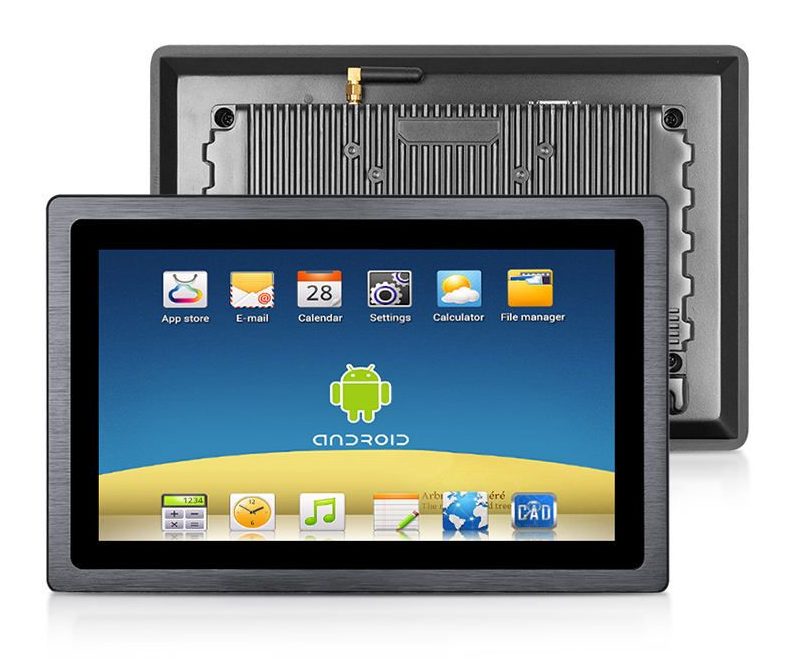
Not sure which side your project lands on? Tell us your current software stack, fleet size and rollout timeline and our engineers will help you price both options against our dual-OS panel PC platform: request a quote.
8. Frequently asked questions
Is Android or Windows cheaper for a kiosk fleet?
Does Windows really cost more over five years than Android?
Can the same kiosk hardware run either OS?
Which OS is easier to manage remotely across many sites?
What if my ordering or POS app only runs on Windows?
Comparing Android and Windows for your rollout?
Send us your current software stack and fleet size — our engineers will help you price both platforms within 24 hours.