How to Choose an ICAO Passport Reader: MRZ, RFID and Full-Page Scanning Explained
By MHY Engineering Team · Updated · 10 min read
Every passport and ID reader in this category claims "ICAO 9303 compliant" on the spec sheet, but that single phrase covers a wide range of actual capability — from a compact reader that only captures the printed MRZ line to a full-page scanner that images the entire document, reads the embedded chip, and checks it for forgery under UV/IR light. Specifying the wrong tier means either overpaying for capability you don't need or, worse, deploying a reader that can't do what your compliance or throughput requirements demand. This guide breaks down the real technical differences behind the marketing language. See our full ID & passport reader line for the models referenced below, and our certification FAQ for how document-reader accuracy claims should be verified.
1. MRZ/OCR vs RFID chip reading
Every ICAO-compliant passport has a printed Machine Readable Zone (MRZ) — the two lines of characters at the bottom of the photo page — and every full or compact reader optically scans and OCRs this line to extract name, document number, nationality, date of birth and expiry in under 1.3 seconds on MHY's compact models. Newer e-passports additionally embed an RFID chip (ISO/IEC 14443, 13.56MHz) holding a more complete, cryptographically signed data set including a stored biometric photo. Reading the chip requires an RFID-capable reader and, per the ICAO Basic Access Control standard, the MRZ data is used as a key to unlock chip access — so RFID reading is additive to MRZ/OCR, not a replacement for it. Not every document has a chip (some passports and most ID cards don't), so a reader that only supports RFID would be unable to process a meaningful share of real-world documents; MRZ/OCR capability should be treated as the baseline and RFID as the upgrade.
2. Compact vs full-page readers
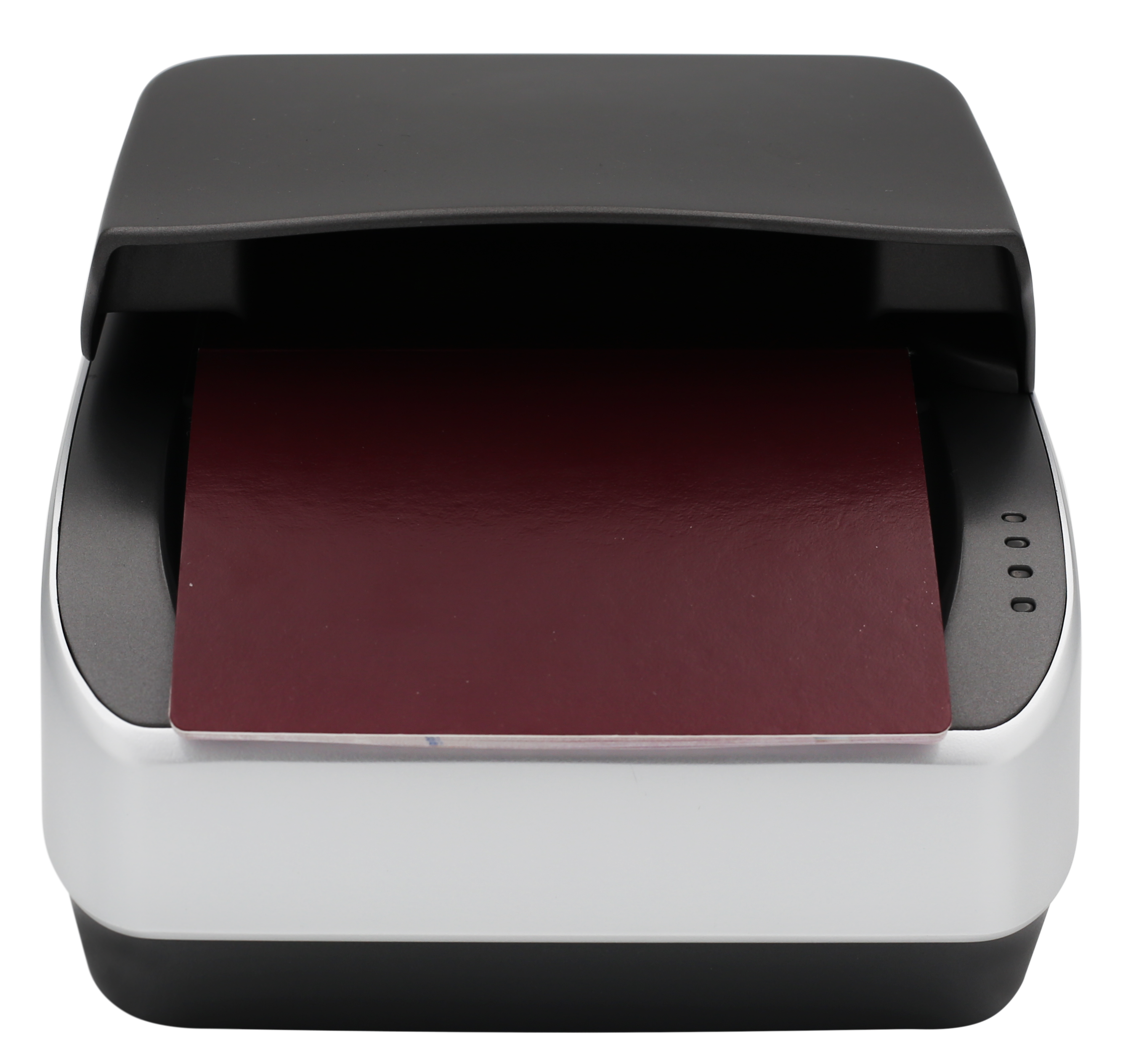
A compact reader — like MHY's Compact Passport Reader, at 138.6 x 73.2 x 23mm — is built to scan just the MRZ line (and RFID chip, where present) through a small aperture, in a small desktop footprint suited to counters with limited space, such as car rental desks or check-in counters. A full-page reader images the entire photo page under controlled lighting through a larger flatbed-style aperture, capturing a visual record of the document in addition to MRZ/RFID data — this is necessary wherever you need to retain a document image for compliance, verify visa or stamp pages, or run UV/IR authenticity checks (section 3), all of which require imaging beyond just the MRZ strip.
3. When UV/IR authentication is worth it
Full-page readers can optionally add UV and IR imaging, which illuminates the document under ultraviolet and infrared light to reveal security features (UV-reactive inks, watermarks) and material inconsistencies invisible under normal light — the core toolset for detecting forged or altered documents. This capability matters most where fraud risk is genuinely high: border control, immigration checkpoints, and government ID verification. For lower-risk deployments — hotel check-in, car rental, general identity lookup — the fraud-detection value of UV/IR rarely justifies its added cost, and standard MRZ/OCR plus RFID chip verification (the chip's cryptographic signature is itself a strong authenticity signal for e-passports) is normally sufficient.
4. Integration: standalone reader vs built into a kiosk
Passport readers ship either as a standalone USB module for integrators to embed into their own counter or kiosk design (MHY's Desktop Passport Reader MR200 is built for exactly this), or pre-integrated into a self-service kiosk such as the Hotel Check-In Kiosk or Premium Passport Check-In Kiosk, where the reader, camera, card dispenser and printer are already combined into one unattended unit. Choose standalone if you're integrating into an existing counter workflow or third-party kiosk software; choose a pre-integrated kiosk if you're deploying new unattended check-in infrastructure and want the mechanical and software integration already solved.
5. Reader types at a glance
| Reader type | Captures | Best for |
|---|---|---|
| Compact MRZ/OCR | Printed MRZ line only | Identity lookup, small counters, fast throughput |
| Compact MRZ/OCR + RFID | MRZ plus e-passport chip data | Higher-confidence identity capture, still compact |
| Full-page (standard) | Entire photo page image, MRZ, RFID | Document image retention, visa/stamp page capture |
| Full-page + UV/IR | All of the above plus forgery indicators | Border control, immigration, high fraud-risk settings |
6. Matching a reader to your use case
For hotel check-in, a compact or full-page MRZ/RFID reader integrated into a check-in kiosk is typically sufficient — fraud risk is comparatively low and the priority is speed and guest convenience. For car rental or membership registration, a compact reader alone often covers the requirement. For airports and border control (see our airport & border control solutions), a full-page reader with RFID and UV/IR is the standard specification given the fraud-detection and compliance stakes. For government services kiosks handling multiple document types, confirm the reader explicitly supports both passport and national ID card formats, since not every model does by default.
7. Frequently asked questions
What is the difference between MRZ/OCR reading and RFID reading?
Do I need a full-page reader or is a compact MRZ-only reader enough?
Is UV/IR document authentication necessary for every deployment?
Can a passport reader also read national ID cards?
How fast is passport recognition, and does that matter for kiosk throughput?
Not sure which reader tier fits your project?
Tell us your use case and compliance requirements — we'll recommend a reader spec, standalone or kiosk-integrated, and quote it.